




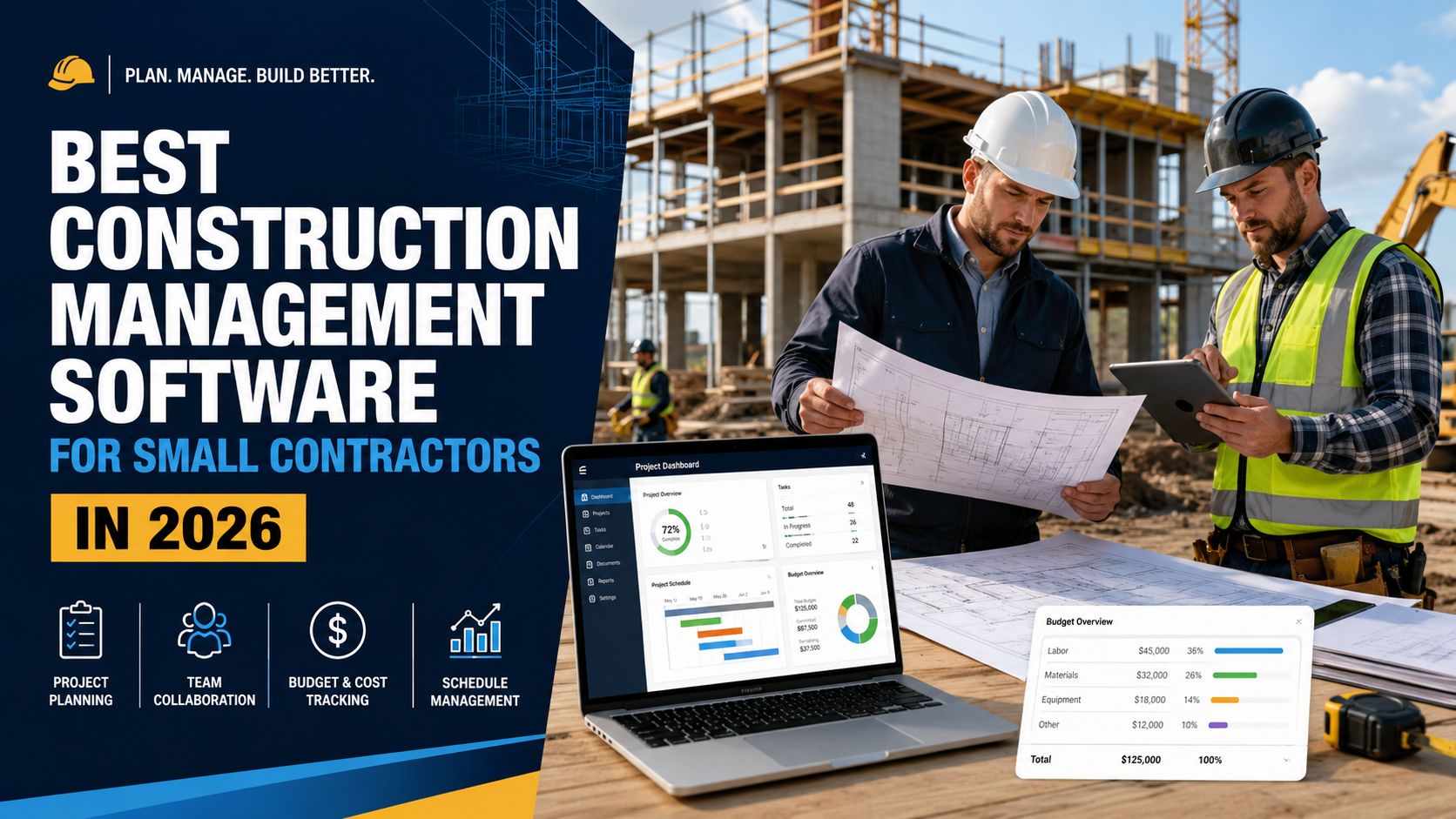
Small contractors are under more pressure than ever in 2026. Customers expect faster replies, cleaner proposals, accurate schedules, transparent budgets, photo updates, digital invoices, and professional communication from the first estimate to the final punch list. At the same time, small construction businesses often run with lean teams. The owner may also be the estimator, project manager, scheduler, buyer, salesperson, and problem solver. That makes construction management software more than a convenience. For many small contractors, it becomes the operating system of the business.
The best construction management software for small contractors should help organize jobs, estimates, schedules, budgets, documents, daily logs, change orders, invoices, subcontractors, clients, and field updates in one place. It should reduce the number of disconnected spreadsheets, text messages, notebooks, emails, and paper folders that slow down a growing construction company. Good software does not magically fix poor processes, but it can make good processes easier to repeat.
For most small contractors in 2026, the best overall choice is Contractor Foreman because it offers a broad all-in-one construction management suite at a small-business-friendly entry point. Contractor Foreman describes itself as an all-in-one construction management suite for tablet, phone, or computer, with plans starting at $49 per month. (Contractor Foreman) It is especially attractive for small general contractors, trade contractors, remodelers, and growing construction companies that need estimating, scheduling, daily logs, change orders, job costing, documents, time tracking, and project controls without jumping immediately into enterprise-level pricing.
However, the best software depends on the type of contractor. A custom home builder may prefer Buildertrend. A field-heavy subcontractor may prefer Fieldwire or Raken. A contractor that needs advanced commercial project controls may look at Procore or Autodesk Build. A residential builder that wants estimating and takeoff may prefer Buildxact. A company that wants simple pricing and strong estimating-to-project workflows may consider JobTread. This article compares the best construction management software for small contractors in 2026 and explains which one fits each business type.
What Is Construction Management Software?
Construction management software is a digital platform that helps contractors plan, manage, document, and complete construction projects. Instead of managing a job through separate spreadsheets, paper folders, phone photos, emails, and text messages, contractors can centralize important information inside one system.
A good construction management platform usually includes tools for estimating, proposals, schedules, budgets, tasks, documents, client communication, subcontractor coordination, daily reports, photos, punch lists, invoices, change orders, and project closeout. Some platforms focus on the office side of the business, while others focus more on field coordination. The best choice depends on whether the contractor needs sales tools, estimating tools, project management tools, accounting connections, crew tracking, or client-facing communication.
For small contractors, construction management software should not feel like a complicated corporate system. The software should be easy enough for the owner, office manager, foreman, estimator, and field team to actually use every day. A powerful platform is only valuable if the team adopts it. If the software is too complex, too expensive, or too slow to set up, the company may go back to old habits.
The real value of construction management software is consistency. Every estimate follows a process. Every job has a schedule. Every change order is tracked. Every important file is stored in the right project. Every field update can be seen by the office. Every invoice is connected to the work. Every client question has context. That consistency is what helps small contractors look more professional, avoid missed details, protect profit margins, and grow without losing control.
Why Small Contractors Need Better Software in 2026
Small contractors often start with simple tools. A spreadsheet for estimates, a calendar for scheduling, a folder for photos, a notebook for daily notes, email for documents, text messages for field updates, and accounting software for invoices. This can work for a while, especially when the company only handles a few jobs at a time. But as soon as the business grows, the cracks become obvious.
The first problem is scattered information. A client approves a change by text message, but the office never sees it. A foreman takes jobsite photos, but they stay on a phone. A subcontractor gets an old version of a drawing. A supplier price changes, but the estimate is not updated. A client asks about the schedule, but the answer depends on who has the latest information. These small gaps can turn into delays, disputes, and lost profit.
The second problem is weak cost control. Many small contractors know whether a job was profitable only after the project is finished. By that time, it is too late to correct labor overruns, material changes, missed allowances, unapproved change orders, and budget drift. Construction management software can help track estimated costs, actual costs, purchase orders, invoices, change orders, and project progress more clearly.
The third problem is communication overload. Contractors deal with clients, crews, subcontractors, suppliers, inspectors, designers, architects, and internal staff. When communication happens across phone calls, texts, emails, and paper notes, it becomes hard to know what was said, who approved what, and what needs action. A centralized platform helps keep project conversations tied to the job.
The fourth problem is professionalism. Clients compare contractors not only by price but also by communication, speed, organization, and trust. A clean proposal, clear schedule, client portal, photo updates, and organized change order process can make a small contractor look more established. That can help win better jobs and reduce misunderstandings.
The fifth problem is growth. A small contractor may be able to personally remember every job detail at three active projects. At ten active projects, that becomes risky. At twenty, it becomes nearly impossible. Software helps turn the owner’s personal memory into a repeatable company system.
Best Overall Construction Management Software for Small Contractors: Contractor Foreman
Contractor Foreman is the best overall construction management software for many small contractors in 2026 because it balances features, affordability, and flexibility. It is designed as an all-in-one construction management platform and is available across phone, tablet, and computer. (Contractor Foreman) That matters because small contractors usually need one system that covers many business functions rather than several separate tools.
The biggest strength of Contractor Foreman is that it covers a wide range of everyday contractor needs. It can support estimates, scheduling, daily logs, photos, documents, change orders, invoices, purchase orders, time tracking, safety meetings, punch lists, service tickets, client portals, and more. Third-party software listings also describe Contractor Foreman as suitable for small to medium residential and commercial contractors, with project management, financial operations, team collaboration, and document organization features. (GetApp)
For a small contractor, this all-in-one approach is important. A company may not have a separate operations manager, finance manager, project coordinator, and estimator. The same person may need to create an estimate in the morning, check project expenses after lunch, review a field photo in the afternoon, and send an invoice before the day ends. Contractor Foreman fits this kind of mixed workflow better than platforms that focus only on one narrow function.
Contractor Foreman is a strong option for general contractors, remodelers, roofing contractors, electrical contractors, HVAC contractors, plumbing contractors, concrete contractors, landscaping contractors, and specialty trades that want to centralize business operations. It is also useful for contractors moving away from spreadsheets but not ready for a high-cost enterprise platform.
The main advantage is value. Plans starting at $49 per month make it accessible for smaller companies that need professional software but cannot justify thousands of dollars per year before proving the return on investment. (Contractor Foreman) The platform is broad enough to replace several disconnected tools, which can make the total cost easier to justify.
The possible downside is that any all-in-one system has a learning curve. Because Contractor Foreman includes many modules, a contractor should not try to implement everything on day one. The best approach is to begin with the most important workflows: estimates, project schedules, daily logs, change orders, and invoices. After the team becomes comfortable, the company can add more features such as safety forms, time tracking, client portals, and advanced reporting.
Contractor Foreman is best for small contractors that want one affordable platform to manage most of the business. It is especially strong for companies that need more structure but still want software that feels practical for everyday construction work.
Best for Custom Home Builders and Remodelers: Buildertrend
Buildertrend is one of the strongest choices for custom home builders, remodelers, and residential construction companies. The platform is built around home-building workflows and includes tools for scheduling, financials, client communication, project management, customer management, sales management, and materials management. Buildertrend states that its key features include sales management, project management, customer management, financial management, and materials management. (Buildertrend)
For residential builders, client communication is often just as important as internal project management. Homeowners want updates, photos, selections, schedules, budgets, and answers. They may not understand construction delays, allowance changes, or change order details unless the contractor communicates clearly. Buildertrend is strong because it focuses heavily on the relationship between the builder, client, office, and field.
A custom home builder may use Buildertrend to manage leads, proposals, selections, schedules, daily logs, documents, client messages, invoices, and job progress. A remodeling contractor may use it to create a smoother experience for homeowners who are living through a renovation and want to understand what is happening next. This kind of client-facing structure can help reduce repeated phone calls and prevent confusion.
Buildertrend is especially useful for builders who handle complex, multi-phase residential projects. Its pricing page says the platform is built for builders who oversee five or more projects per year, handle complex multi-phase builds, want to grow from six to eight figures in annual revenue, and care deeply about production deadlines. (Buildertrend) That positioning makes it a strong fit for serious residential contractors rather than very small one-person operations doing occasional jobs.
The biggest benefit of Buildertrend is that it can help a builder create a polished customer experience. A professional customer portal, organized selections, clear scheduling, and centralized communication can be valuable when clients are spending large amounts of money on a home or remodel. The software can also support sales and preconstruction workflows, which matters because winning the right jobs is just as important as managing active jobs.
The potential downside is cost and complexity. Buildertrend uses a custom quote process, so contractors should carefully evaluate which features are included, how many users are needed, what onboarding costs may apply, and whether the platform is the right size for their business. (Buildertrend) A very small contractor that only needs basic scheduling and estimates may find Buildertrend more than necessary. But for a growing residential builder that wants a complete business platform, it can be a strong long-term choice.
Buildertrend is best for custom home builders, design-build firms, remodelers, and residential contractors that want strong client communication, polished workflows, and a platform designed around complex home projects.
Best for Field Coordination and Task Management: Fieldwire
Fieldwire is one of the best construction management tools for field coordination, task tracking, plan management, and jobsite communication. It is especially useful for contractors that need field teams to access drawings, update tasks, track work, and coordinate daily activity from phones or tablets.
Fieldwire positions itself as a real-time jobsite management platform that helps teams track tasks, update drawings, and reduce rework. It says it is used by teams of 10 to 10,000 and is designed to be easy to set up and adopt. (fieldwire.com) Fieldwire also describes its construction software as a way to align office and field teams, track and schedule tasks and manpower, get real-time updates, and improve productivity. (fieldwire.com)
For small contractors, Fieldwire is useful when the field is the center of the business. A subcontractor with crews on multiple jobs may need a better way to manage tasks, drawings, issues, photos, punch lists, and updates. Instead of relying on text messages and marked-up paper plans, the team can use Fieldwire to keep jobsite information organized.
One of the major advantages is that Fieldwire has a free basic plan for small teams. Its knowledge base says Fieldwire is free for small teams that do not exceed three total projects, one hundred total sheets, and five unique users across all projects. (help.fieldwire.com) This makes it attractive for very small contractors that want to test construction management software before paying for a full system.
Fieldwire is not necessarily the best choice for a contractor that needs deep estimating, CRM, sales pipelines, invoicing, or full back-office financial management. Its strength is jobsite execution. If your biggest problem is that field teams do not know what to do next, drawings are hard to manage, punch lists are messy, and updates are scattered, Fieldwire can be a very good fit.
The best use case is a contractor that already has accounting and estimating handled elsewhere but needs better field control. For example, a drywall contractor, electrical subcontractor, site supervisor, finishing contractor, or small general contractor may use Fieldwire to manage daily jobsite tasks and plan-based communication.
Fieldwire is best for small contractors that need field-first project coordination, task tracking, drawing access, punch lists, and simple jobsite visibility.
Best for Commercial General Contractors Ready to Scale: Procore
Procore is one of the most recognized construction management platforms in the industry and is a strong choice for contractors that are growing into larger, more complex commercial work. It may be more platform than a very small contractor needs, but it can be excellent for companies that want a serious end-to-end construction management system.
Procore describes its platform as connecting the field and the office and giving teams real-time visibility to deliver quality projects on time. (Procore) Procore also has specific positioning for small and medium contractors, saying it helps automate construction processes, create accountability, and keep projects on schedule and on budget. (Procore)
The biggest strength of Procore is depth. It is built for complex construction environments with many stakeholders, documents, drawings, RFIs, submittals, budgets, contracts, change events, observations, inspections, punch lists, and reporting needs. For commercial general contractors, this level of structure can be very valuable.
A small contractor should consider Procore if the business is moving into larger commercial projects, needs stronger compliance and documentation, works with many subcontractors, or wants a system that can scale with the company over time. Procore may also make sense when owners, architects, engineers, and larger project partners already expect Procore-style workflows.
The potential drawback is that Procore can be too advanced or too expensive for smaller teams that only need basic estimates, schedules, and invoices. A five-person remodeler may not need the same level of project controls as a commercial contractor managing multi-million-dollar jobs. Before choosing Procore, small contractors should carefully consider implementation effort, training time, contract terms, and whether the company will actually use the full platform.
Procore is best for growing commercial contractors, general contractors, and construction companies that want enterprise-grade project management and are serious about building scalable operational systems.
Best for Estimating, Takeoff, and Residential Job Management: Buildxact
Buildxact is a strong option for residential builders and contractors that need estimating, takeoff, quoting, scheduling, and job tracking in one platform. It is especially useful for small builders that want to move from manual estimating and spreadsheets into a more structured workflow.
Buildxact describes itself as easy-to-use project and construction management software for builders and contractors, with tools to manage estimating, scheduling, and job tracking from first takeoff to final invoice. (Buildxact AU) This makes it particularly attractive for contractors who struggle with the preconstruction stage. If estimating takes too long, proposals are inconsistent, or material takeoffs are difficult to manage, Buildxact can help create a more professional process.
The estimating stage is where many small contractors lose profit before the job even begins. If measurements are wrong, quantities are missed, labor is underestimated, or allowances are unclear, the job starts with weak numbers. Software that supports takeoff and estimating can help reduce these problems. Buildxact is valuable because it connects estimating to the rest of the job instead of treating the estimate as a separate spreadsheet.
Buildxact also offers flexible pricing that includes a free starting option, and its pricing page notes that annual plans receive a discount compared with monthly pricing. (Buildxact AU) This can appeal to small builders that want to start with a lower commitment and grow into more advanced features.
The main limitation is that Buildxact is not always the broadest all-in-one platform for every contractor type. It shines for residential builders, remodelers, and contractors that care heavily about takeoff and estimating. A field-heavy subcontractor may prefer Fieldwire or Raken. A contractor needing extensive financial controls may prefer Procore, Autodesk Build, or Contractor Foreman depending on budget.
Buildxact is best for residential builders and small contractors that want better estimating, takeoff, proposals, scheduling, and job tracking in one workflow.
Best for Simple Estimating-to-Project Workflows: JobTread
JobTread is a strong choice for small contractors that want construction estimating and project management software with a clean, straightforward structure. It focuses on helping contractors get organized, complete projects on time, and increase profits. JobTread describes itself as simple yet powerful construction estimating and project management software. (jobtread.com)
A key advantage of JobTread is its relatively clear pricing model. Its pricing page lists $199 per month plus $20 per month per team member, with no contract, no setup fees, free implementation, training, and support, and all features included. (jobtread.com) For small contractors, pricing clarity matters. Some platforms require custom quotes that make it hard to compare total cost. JobTread’s published pricing helps owners estimate the software budget more easily.
JobTread can be a good fit for contractors that want to connect sales, estimating, budgets, contracts, purchase orders, daily logs, tasks, scheduling, change orders, invoices, job costing, and reporting. It is especially useful for contractors who want their estimate to become the foundation of the project budget and job management process.
The strength of JobTread is that it gives small teams a structured system without necessarily feeling like a huge enterprise platform. A contractor can use it to create better proposals, manage budgets, track project activity, and keep documents organized. It can also help owners understand job performance more clearly.
The possible drawback is that per-team-member pricing can grow as the company adds users. A small owner-operated business may find it affordable, but a larger crew with many internal users should calculate the total monthly cost carefully. Contractors should also compare whether they need all included features or whether a cheaper platform covers enough of their workflow.
JobTread is best for small contractors that want clear pricing, strong estimating-to-project workflows, and a structured way to manage jobs from proposal to completion.
Best for Design-Focused Remodelers and Client Experience: Houzz Pro
Houzz Pro is a strong option for remodelers, designers, home improvement professionals, and residential contractors who care about client presentation and project communication. It is especially useful for businesses that operate in the home renovation and design space, where homeowners want both organization and visual confidence.
Houzz Pro describes its construction project management software as helping professionals stay on budget and on time, while offering tools such as project scheduling, online payments, change orders, daily logs, time and expense tracking, QuickBooks Online integration, and client dashboards. (Houzz Pro)
The biggest advantage of Houzz Pro is its connection to the homeowner experience. Renovation clients often care about design ideas, selections, visuals, communication, timelines, and confidence. A remodeler may need to present estimates, manage client approvals, organize project updates, and communicate clearly throughout a messy renovation process. Houzz Pro can help support that type of customer-facing workflow.
Houzz Pro can be especially useful for kitchen remodelers, bathroom remodelers, interior renovation contractors, design-build firms, and home improvement companies that want sales, marketing, client management, and project tools in one environment. It is not only about managing tasks; it is also about creating a better client journey.
The limitation is that Houzz Pro may not be the best fit for heavy commercial construction, large subcontractor coordination, or contractors that need deep field production tracking. It is better suited to residential and design-oriented businesses than to complex commercial jobsite management.
Houzz Pro is best for remodelers and residential contractors that want client dashboards, project communication, scheduling, change orders, payments, and a polished homeowner experience.
Best for Daily Reports, Time Tracking, and Field Documentation: Raken
Raken is one of the best construction management tools for field documentation. It is particularly strong for daily reports, time tracking, safety, field data, and jobsite visibility. For contractors whose biggest challenge is collecting accurate field information, Raken can be a practical and focused choice.
Raken describes its construction management software as field management made easy, with tools to capture and share field data in real time, track hours worked, plan projects, manage resources, and prevent safety and quality issues. (Raken) Its daily report app connects the field and office through the cloud, lets teams submit reports, and provides real-time dashboards. (Raken)
Daily reports are often overlooked by small contractors, but they can be extremely important. A good daily report can document who was on site, what work was completed, what equipment was used, what materials arrived, what weather conditions affected the job, what delays occurred, what safety issues appeared, and what photos were taken. This documentation can protect the contractor if disputes happen later.
Raken is useful for subcontractors, field supervisors, general contractors, heavy civil teams, and specialty trades that need stronger field reporting. Instead of asking foremen to write reports at the end of a long day, Raken helps capture field data more easily through mobile workflows.
The limitation is that Raken is more field-focused than full-business-focused. It may not replace estimating, accounting, CRM, or complete project financial management software. Many contractors may use Raken alongside another platform. For example, a contractor might use accounting software for invoices, estimating software for bids, and Raken for daily reports and field documentation.
Raken is best for contractors that need better daily reports, time tracking, safety documentation, production tracking, and field-to-office visibility.
Best for Contractors Already Using Autodesk Tools: Autodesk Build
Autodesk Build, now part of Autodesk’s construction cloud and Forma-related construction offerings, is a strong choice for contractors that already work in the Autodesk ecosystem or need connected document, project, quality, safety, and cost management tools. Autodesk describes its construction software as built for builders and focused on keeping projects on track with real-time insights into costs, schedules, and more. (Autodesk Construction Cloud)
Autodesk Build is especially relevant for contractors that work with drawings, models, design coordination, documents, and commercial project controls. Autodesk states that Autodesk Build subscriptions include project management, quality management, safety management, cost management, access to Autodesk Docs, and the Autodesk Construction Cloud mobile app. (Autodesk Construction Cloud)
For small contractors, Autodesk Build may make sense when the company frequently interacts with architects, engineers, or project teams already using Autodesk products. If a contractor is working with design files, coordination workflows, document control, and larger commercial projects, Autodesk’s connected environment can be valuable.
The main benefit is professional project control. Autodesk Build can support issue management, document management, cost management, quality, safety, reporting, and mobile access. It can help contractors move beyond basic scheduling and into more structured project delivery.
The possible downside is that it may not be the easiest or cheapest starting point for a very small contractor. A small residential remodeler may not need the full Autodesk construction ecosystem. However, a contractor that already uses Autodesk tools or works on projects where Autodesk products are common may find the integration and workflow consistency useful.
Autodesk Build is best for contractors that want strong document control, cost management, quality management, safety management, and integration with the broader Autodesk construction environment.
Best for No Per-User Pricing: Projul
Projul is a construction management platform that may appeal to contractors who dislike per-user pricing. Many software products become expensive as the company adds more employees, estimators, project managers, office staff, and crew leads. Projul positions itself differently by emphasizing company-wide access rather than per-user fees.
Projul states that it starts at $4,788 per year for the entire construction management company and does not charge per-user fees. (Projul) That pricing structure can be attractive for contractors that want to give access to multiple people without worrying that every new user will increase the bill.
Projul also emphasizes estimating, change orders, invoicing, payment processing, selections, and job management. It says more than 5,000 contractors receive payments faster with built-in payment processing, and it positions the platform around helping contractors document and bill for change orders. (Projul)
The biggest advantage is predictable access cost. If a contractor wants estimators, crew leads, office staff, and field workers to use the system, no per-user pricing can simplify budgeting. This can encourage wider adoption because the owner is not forced to limit access just to save money.
The limitation is that the annual starting price may feel high for a very small contractor compared with lower monthly entry options. A one-person or two-person contractor may prefer a cheaper starter plan elsewhere. But a growing company with several users may find Projul’s pricing model more attractive over time.
Projul is best for small to midsize contractors that want construction management, estimating, change orders, invoicing, and broad team access without per-user cost pressure.
Quick Comparison of the Best Construction Management Software for Small Contractors
| Software | Best For | Main Strength | Possible Limitation |
|---|---|---|---|
| Contractor Foreman | Best overall for small contractors | Affordable all-in-one features | Many modules require phased setup |
| Buildertrend | Custom home builders and remodelers | Client communication and residential workflows | Custom quote and may be more than tiny teams need |
| Fieldwire | Field coordination | Tasks, drawings, punch lists, field updates | Not a full accounting or estimating platform |
| Procore | Growing commercial contractors | Deep project controls and scalability | Can be expensive or complex for very small teams |
| Buildxact | Residential estimating and takeoff | Estimating, takeoff, quoting, job tracking | Less ideal for field-heavy subcontractor workflows |
| JobTread | Simple estimating-to-project management | Clear pricing and organized workflows | Per-user cost grows with the team |
| Houzz Pro | Design-focused remodelers | Client dashboards and homeowner experience | Not ideal for heavy commercial field management |
| Raken | Daily reports and field documentation | Field reports, time tracking, safety | May need to be paired with other systems |
| Autodesk Build | Autodesk-connected contractors | Documents, cost, quality, safety | Better for more structured project environments |
| Projul | Teams wanting no per-user pricing | Company-wide access model | Annual starting price may be high for tiny teams |
The Most Important Features to Look For
The best construction management software for small contractors should match the way the business actually works. A platform with hundreds of features is not automatically better. The right features are the ones that solve daily problems and improve profit.
The first important feature is estimating. Estimates are the foundation of construction profitability. If the estimate is weak, the project starts with risk. Good software should help contractors create consistent estimates, save common items, calculate labor and materials, manage markups, prepare professional proposals, and turn approved estimates into project budgets.
The second feature is scheduling. A construction schedule should show what needs to happen, who is responsible, and when each task should be completed. Small contractors often manage schedules manually, but this creates confusion when dates change. Software should make schedule updates easy and visible to the team.
The third feature is change order management. Change orders are one of the biggest sources of lost revenue. Contractors often do extra work before approval, forget to price changes correctly, or fail to document client approval. Good software should make change orders easy to create, send, approve, and connect to the budget.
The fourth feature is job costing. Small contractors need to know whether a project is profitable before it is too late. Job costing helps compare estimated costs with actual costs. This includes labor, materials, subcontractors, equipment, purchase orders, bills, and invoices.
The fifth feature is document management. Drawings, contracts, permits, photos, specifications, invoices, selections, warranties, and closeout documents should be stored in the right project. A centralized document system reduces confusion and helps protect the contractor.
The sixth feature is field communication. Field teams need simple mobile tools. If the software is hard to use on a phone, foremen and crews may avoid it. The best platforms make it easy to upload photos, update tasks, complete daily logs, check schedules, and report issues from the jobsite.
The seventh feature is client communication. For residential contractors, a client portal can be a major advantage. Clients can view updates, selections, documents, messages, approvals, and invoices without constantly calling the contractor.
The eighth feature is reporting. Owners need visibility into active projects, overdue tasks, unpaid invoices, open change orders, upcoming deadlines, and profit performance. Reports should help the contractor make decisions, not just collect data.
How to Choose the Right Software for Your Contractor Business
Choosing construction management software should begin with the company’s biggest pain point. A contractor should not start by asking which platform has the longest feature list. The better question is: where is the business losing time, money, or control?
If the biggest problem is messy estimates, choose software with strong estimating and takeoff features. Buildxact, JobTread, Contractor Foreman, and Projul may be worth comparing.
If the biggest problem is homeowner communication, choose software with strong client-facing tools. Buildertrend and Houzz Pro are strong options for residential builders and remodelers.
If the biggest problem is field coordination, choose software that field teams can use easily. Fieldwire and Raken are strong choices, while Contractor Foreman can also support field workflows.
If the biggest problem is commercial project documentation, choose software with stronger project controls. Procore and Autodesk Build are better suited to complex project environments.
If the biggest problem is cost, start with a platform that has affordable entry pricing and enough features to replace several tools. Contractor Foreman is strong here, while Fieldwire’s free basic plan can work for very small field teams.
If the biggest problem is scaling the team, consider pricing carefully. Per-user pricing may be fine for a small office but can become expensive as more people need access. A no-per-user model like Projul may be attractive for teams that want broader adoption.
Small contractors should also think about implementation. The best software is the one the team will use consistently. A contractor should choose a platform that matches the company’s current maturity level. It is better to adopt five useful features fully than to buy fifty features and use none of them properly.
Final Recommendation
The best construction management software for small contractors in 2026 is Contractor Foreman for most small businesses because it offers a strong combination of affordability, broad features, and practical construction workflows. It is a good first serious platform for contractors that want to replace spreadsheets, improve job organization, manage estimates, schedule work, track changes, document projects, and create a more professional operating system.
The best choice can change depending on the contractor’s specialty. Buildertrend is best for custom home builders and remodelers that care about client experience. Fieldwire is best for field coordination and task management. Procore is best for growing commercial contractors that need advanced project controls. Buildxact is best for residential estimating and takeoff. JobTread is best for clear estimating-to-project workflows. Houzz Pro is best for design-focused remodelers. Raken is best for daily reports and field documentation. Autodesk Build is best for contractors already working in the Autodesk ecosystem. Projul is best for teams that want broad access without per-user pricing.
For small contractors, the right software should make the business easier to run, not more complicated. It should help win better jobs, protect margins, reduce mistakes, improve communication, document work, and create repeatable systems. The best platform is not always the biggest or most expensive. It is the one that your team will use every day to manage construction work with more clarity, control, and confidence.